
Tmux Opener
Your tmux sessions, local or over SSH, one click away in iTerm.
- Question
- Can the long ssh-and-tmux command you keep digging out of your shell history become a button?
- Result
- Yes. Each session is a card. Click it and iTerm connects and attaches, creating the session if it doesn't exist. Version 1.0 is out, also through Homebrew.
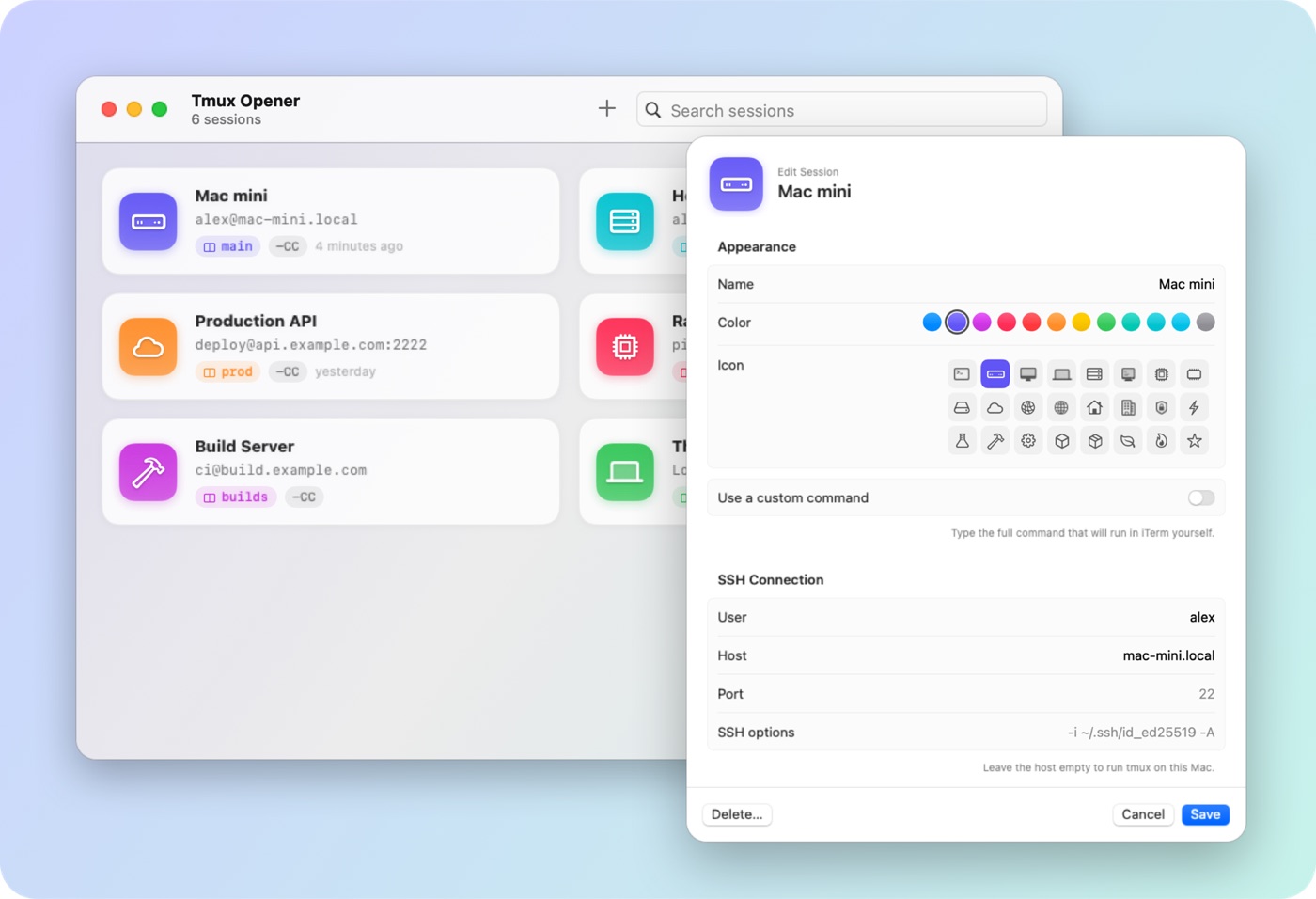
What it does
If you work in tmux on several machines, you probably have a few commands like this one somewhere in your shell history:
ssh -t [email protected] 'tmux -CC new -A -s main'Tmux Opener turns each of them into a card. Click it and iTerm opens a window or a tab, connects, and attaches to the session, creating it if it isn’t there yet. With iTerm’s tmux integration (-CC), the remote tmux windows appear as ordinary iTerm tabs.
- Local or remote: leave the host empty and tmux runs on this Mac.
- Everything configurable: user, host, port, extra
sshoptions, tmux path, session name,-CCon or off, or a command of your own. - A live preview of the exact command before you save.
- From the menu bar, without opening the main window, and with ⌘1…⌘9 for the first nine sessions.
- Plain JSON for the configuration, with import and export to move it between Macs.
- Pure SwiftUI with no dependencies, in English and Spanish, light and dark.
The command is typed into a normal login shell, so your ~/.ssh/config, your agent and your aliases all apply, and detaching leaves you back at the prompt.
Install
brew tap securecmd/tmux-opener https://github.com/SecureCMD/tmux-opener
brew trust securecmd/tmux-opener
brew install --cask tmux-opener
Or download the zip from the latest release and drag the app to Applications. It needs macOS 14 or later, iTerm2, and tmux on the machines you connect to. The first time you launch a session, macOS asks whether Tmux Opener may control iTerm.
Known limits
- It only works with iTerm2. Terminal, Ghostty and others are not supported.
- The downloadable build is signed ad hoc, not notarized, so macOS asks for confirmation the first time. Homebrew handles that for you.